
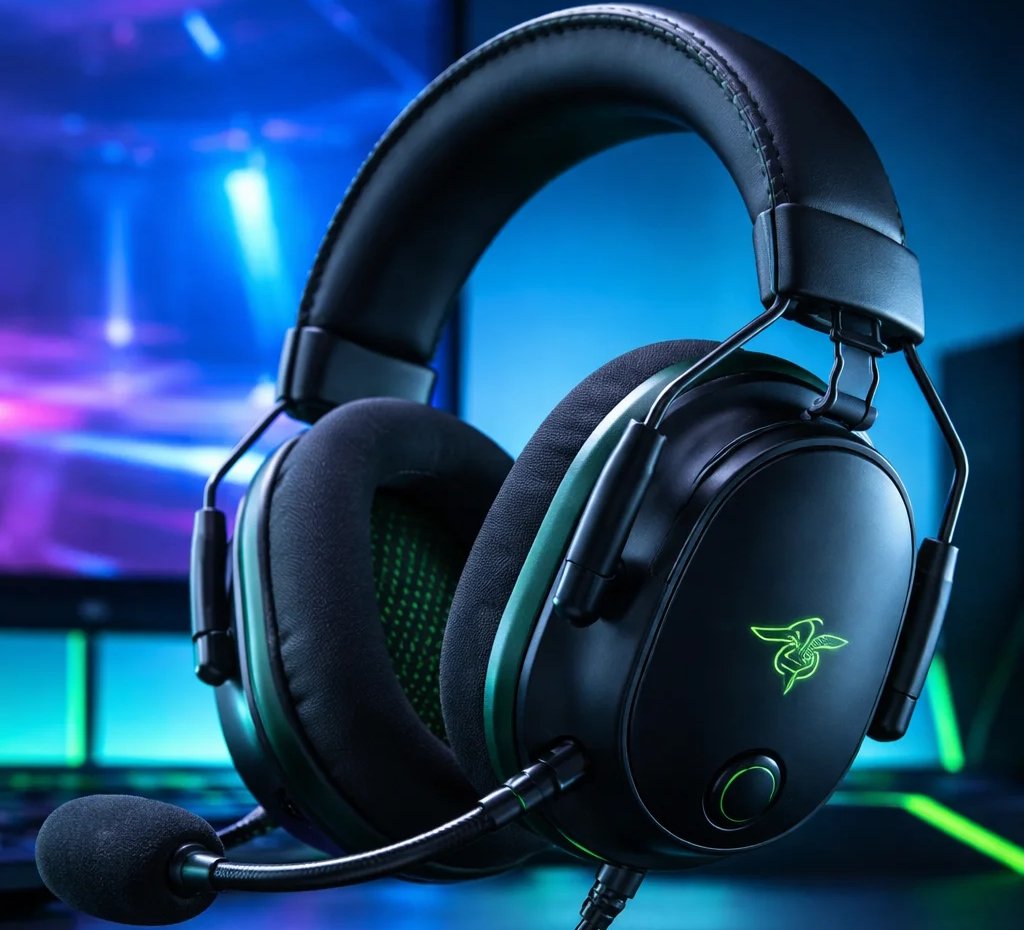
Razer’s BlackShark series has long been a favorite among gamers looking for competitive-grade audio without breaking the bank. The BlackShark V2 set a strong foundation with high-quality sound and comfort, but its successor — the BlackShark V3 — builds on that legacy with modern upgrades. Here’s a look at what each headset does well, and how the V3 advances the experience.
Design & Comfort
BlackShark V2
- Lightweight and comfortable with breathable memory foam ear cushions, ideal for long gaming sessions.
- Wired design keeps weight low and snug.
BlackShark V3
- Also lightweight (~270 g) but with updated hybrid fabric & leatherette memory foam for slightly improved comfort and noise isolation.
- Slightly more ergonomic clamp force reduces fatigue over extended play.
Verdict: Both are comfortable, but the V3’s updated materials and ergonomic tuning give it a slight edge for marathon sessions.
Audio Quality & Sound Stage
BlackShark V2
- Uses TriForce Titanium 50 mm drivers and THX Spatial Audio to deliver clear highs, mids, and lows — excellent for competitive gaming cues like footsteps and gunfire.
- Wired audio ensures stable sound without wireless latency.
BlackShark V3
- Builds on the same driver size but uses second-generation TriForce Titanium drivers for improved clarity and positional accuracy.
- Expanded THX Spatial Audio (7.1.4 where supported) enhances 3D sound immersion and enemy directionality.
Verdict: The V3 delivers a more refined positional audio experience, making it especially appealing for FPS and team-based games — though the V2 still holds up very well for its era.
Microphone & Communication
BlackShark V2
- Features a HyperClear Cardioid detachable microphone, tuned for focused voice pickup and reduced background noise.
- Works great with PC setups via USB sound card.
BlackShark V3
- Upgrades to a HyperClear Super Wideband microphone, capturing a broader range of vocal detail for richer, clearer voice chat.
- This results in crisper team communication, which can be a big advantage in competitive play.
Verdict: The V3’s mic improvement makes it a better choice if voice clarity is a priority for online multiplayer or streaming.
Connectivity & Convenience
BlackShark V2
- Wired connection via 3.5 mm jack and USB sound card for PC.
- Simple and reliable, but limited mobility and requires physical connection.
BlackShark V3
- Offers multiple connection modes: 2.4 GHz Razer HyperSpeed Wireless, Bluetooth, and USB-C, making it flexible for gaming, media, and mobile use.
- Simultaneous Bluetooth & HyperSpeed audio lets you game wirelessly while staying connected to phone notifications or Discord calls.
- Up to 70 hours battery life with fast USB-C charging.
Verdict: Connectivity is where the V3 really shines — wireless freedom and long battery life are major upgrades over the V2’s wired setup.
Who Should Choose Which?
Razer BlackShark V2
Best for gamers who prefer a reliable, wired headset with excellent competitive audio quality and don’t need wireless features.
Razer BlackShark V3
Ideal for players who want a modern wireless experience, improved microphone performance, and enhanced positional audio without stepping up to a premium price tier.
Final Thoughts
While the BlackShark V2 remains a strong choice for hardcore esports players and wired headset fans, the BlackShark V3 advances the lineup with meaningful upgrades — especially in connectivity, mic quality, and immersive audio depth. Whether you prioritize wireless freedom, richer communication, or a headset that doubles as both a gaming and everyday audio device, the V3 delivers a more versatile experience.
👉Available on Amazon
As an Amazon Associate I earn from qualifying purchases